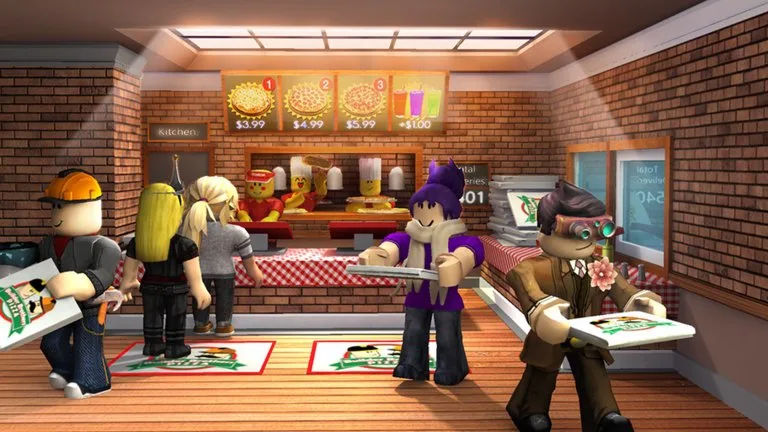
Cashiers wear red and create every ticket the kitchen will see. The register is behind the counter. Customers walk in the front door or park at the drive-thru and wait until you talk to them.
Regular mode
Click the speech bubble, or press E. Three replies appear. In regular mode all three are correct. The customer then takes a while to choose. A few customers ask for a special order. Read the ticket that lands on the kitchen board before you walk away. A wrong register button on a later step is what sends them off, not a slow reply.
Advanced mode
Advanced mode is stricter. All but two dialogue options are wrong, customers decide faster, and the order is text instead of a picture. You have to read it and press the matching item on the register. The wrong line or the wrong button turns the customer away, and that order never reaches the cook. Older versions used advanced mode as the default. If you are new, stay in regular mode until you know cheese, pepperoni, sausage, and Fizzly on sight.
Player orders
A real player can walk up to the register and open a menu of the three pizzas and Fizzly. Each item costs 100 coins. They then tell you the choice in chat. Ring the item they named. It is cooked and boxed like an NPC order, and it can be handed to that player instead of a house. If you select the wrong item, they are not charged and can try again.
Setup
The yellow tutorial pad is near the drive-thru window. Use it once. After that, stand where you can see both the front door and the drive-thru. Call the order out if the cook is new. Do not leave the register to cook your own ticket unless the kitchen is empty and you are willing to quit cashier first. Quitting mid-ticket is how customers get turned away and how a manager ends up watching your stars.
Cashier progress toward the Cashier badge is 100 customer orders, counted from the badge added on September 6, 2014.